For Mac and Windows
Desktop To-Do & Calendar
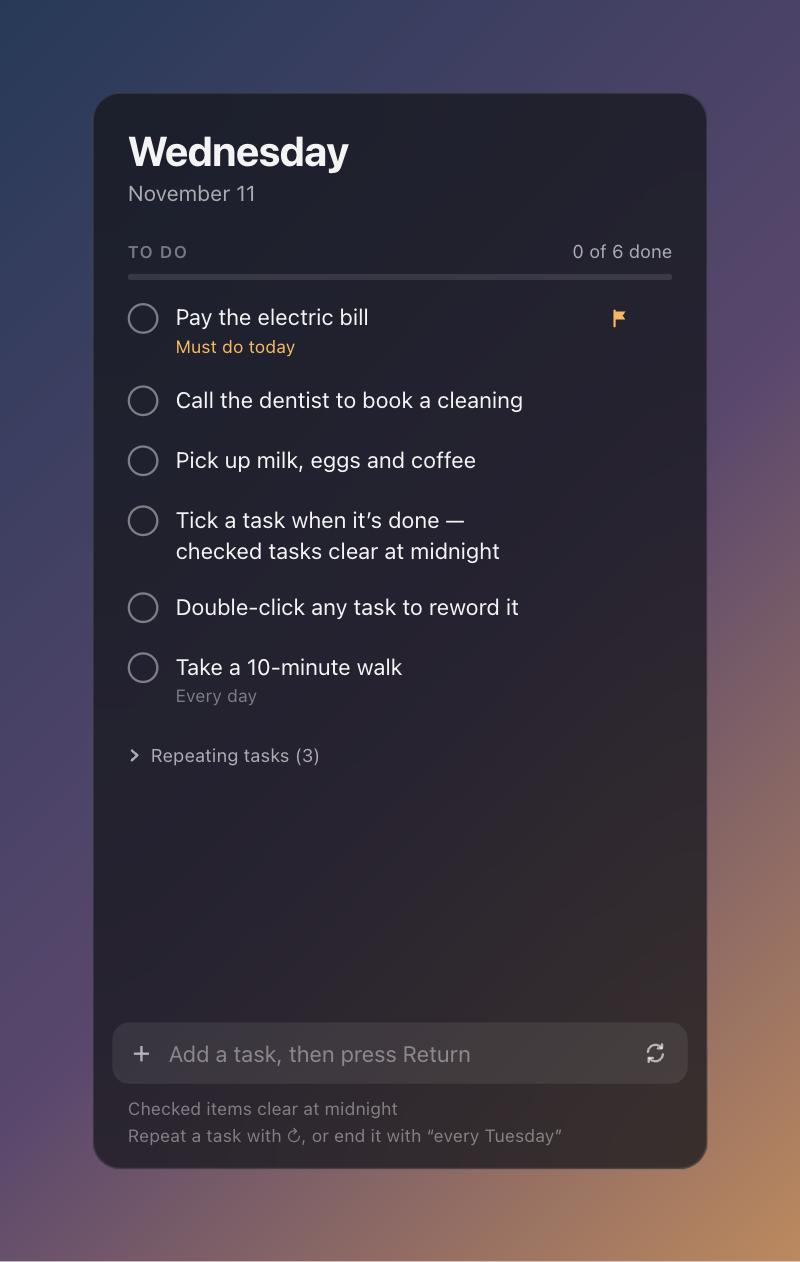
Today’s to-do list and today’s schedule, right on your desktop wallpaper. It sits quietly behind your other windows, so every time you see your desktop, you see what’s next. No accounts, no apps to open, nothing to remember.
One-time purchase. Includes the Mac and Windows versions. Secure checkout by Stripe; you’ll download right after paying.
Built for brains that forget what’s not in front of them
Always in view
The list lives on your desktop, behind every window. Glance at it any time you minimize something.
Today’s schedule too
On a Mac, today’s appointments from your Calendar show above the list, with what’s happening now highlighted.
Must-do flags
Flag what has to happen today and it jumps to the top in orange.
Repeating tasks
Type “water the plants every Monday” and it comes back on its own.
A fresh start each day
Ticked tasks clear at midnight. Unfinished ones carry over and show where they came from.
Private
Everything stays on your computer. No account, no cloud, no tracking.
Questions
Which computers does it work on?
Macs running macOS 13 or newer (Apple chip or Intel), and Windows 10 or 11. One purchase includes both.
Does the calendar work on Windows?
Not yet. The calendar reads your Mac’s Calendar app; on Windows you get the to-do list. A Windows calendar is planned for a free update.
Will my computer warn me when I open it?
This first version shows a one-time “can’t verify” message on Mac and a “Windows protected your PC” message on Windows. The download page walks you through it in two clicks.
Can I hide it to get at files on my desktop?
Yes. Its menu-bar (Mac) or tray (Windows) icon has Hide Panel, a Left / Center / Right position choice, and Open at Login.
I have a question or a problem.
Email aw@drandrewwichterman.com.